
Avaya J100 Series IP Phones: Which Model Is Right for Your Business?
Choosing an office phone seems easy, but the moment you start looking at different models, it turns tricky. If you have to pick handsets for your team, you will see that not every desk needs the phone. A receptionist who takes ten calls an hour has different needs than an executive who mainly uses scheduled conference calls. That is why Avaya J100 Series IP phones have become a choice for businesses in the UAE and beyond.
The Avaya J100 Series IP phones in Dubai are made to fit the person, not the other way around. In this guide, I will walk through each model, explain who it suits best, and show how to decide which Avaya J100 Series IP phone belongs on each desk.
What Is the Avaya J100 Series?
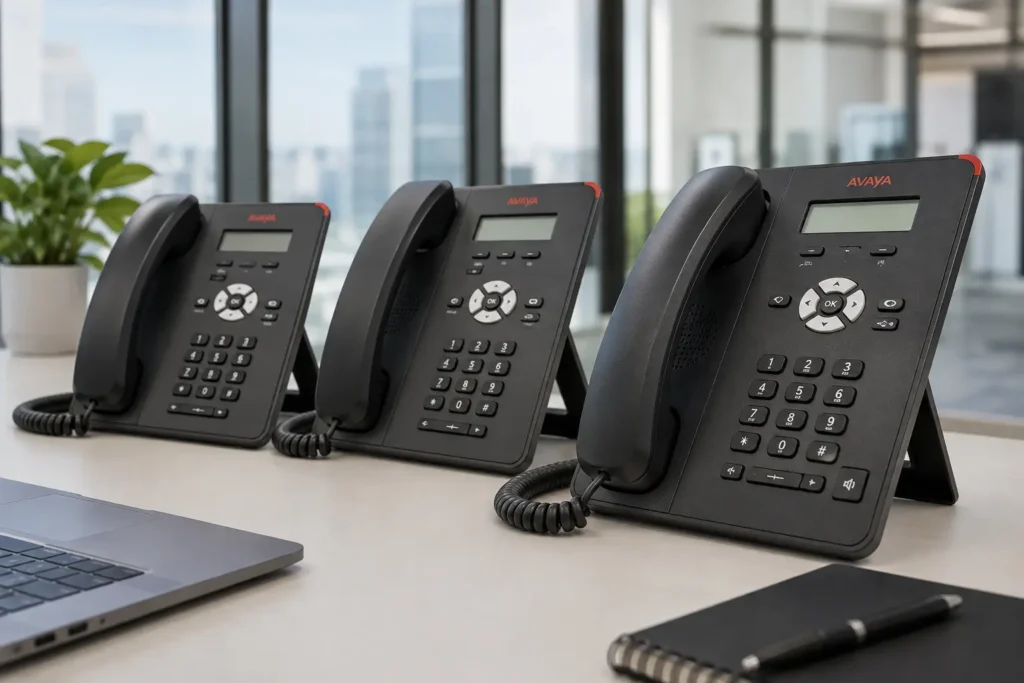
The J100 Series is Avaya’s current generation of desk phones, designed to cover everything from a shared phone in a break room to a fully loaded handset for a busy executive. Instead of a single “one size fits all” device, Avaya built a family of models that share the same reliable core technology but scale up in screen size, buttons, and features as you move up the range.
That’s really the appeal of Avaya J100 series phones; you’re not stuck choosing between “too basic” and “way more than we need”. There’s a model that fits almost every job description in a modern office.
If you want to dig into the full technical specifications behind each handset, Avaya’s own official product documentation is a good place to start before you commit to a model.
Why Businesses Choose Avaya J100 Series IP Phones
There are a handful of reasons this lineup keeps showing up in offices, call centres, and hotel lobbies across the region.
- Business-grade communication – built for daily, heavy call volumes without dropped calls or lag.
- Flexible deployment – works well whether you’re running an on-premises Avaya IP PBX or a cloud-based setup.
- Voice quality – HD audio makes a real difference on long calls, especially for sales and support teams.
- User-friendly interfaces – simple menus mean less time training staff and fewer support tickets.
- Integration with Avaya communication environments – plays nicely with existing Avaya IP Office or Avaya Aura systems, so you’re not ripping out infrastructure to upgrade handsets.
- Different models for different users – from a basic lobby phone to an executive-grade device, the range covers it all.
For companies that are already using an Avaya phone system in Dubai across branches, this flexibility is often the deciding factor. You can standardise on one phone family while still giving each department the features it actually uses.
If you are still weighing your options at a high level, it is worth browsing what is generally available in terms of IP phones in Dubai before narrowing things down to a specific vendor.
Avaya J100 Series Models at a Glance
Here’s a quick snapshot of where each model typically fits in an office:
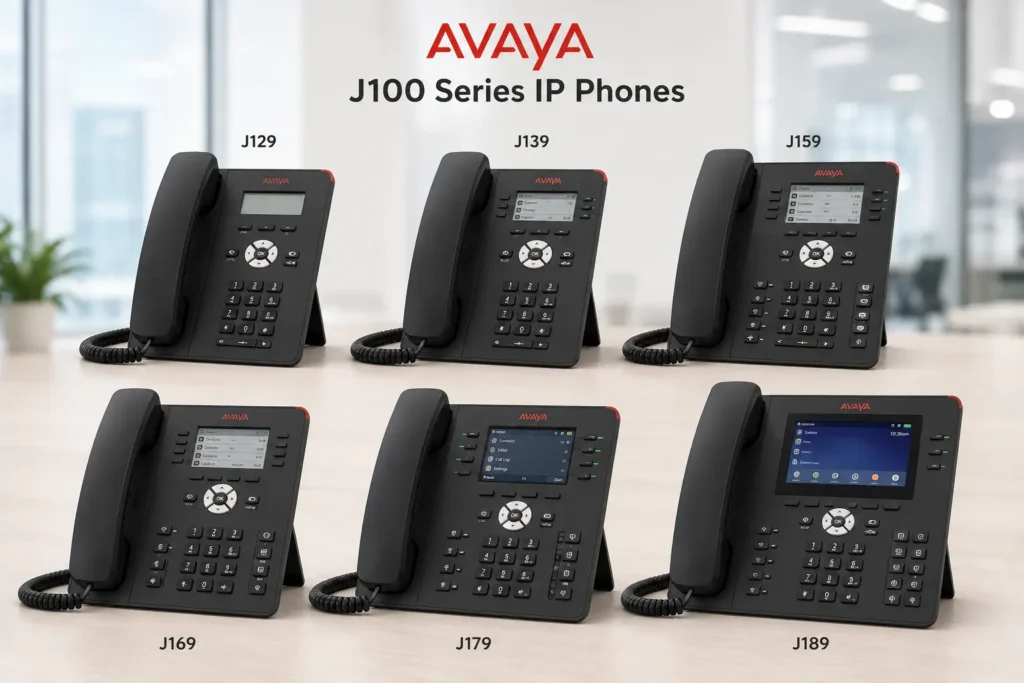
| Model | Best Suited For |
| J129 | Basic users / common areas |
| J139 | Standard office users |
| J159 | Employees needing more functionality |
| J169 | Advanced office users |
| J179 | Power users / executives |
| J189 | High-volume or advanced communication users |
Note: Exact features and compatibility should always be verified against your specific Avaya software, platform version, and configuration before purchasing or deploying.
J129 vs J139 vs J159: Which One Should You Choose?
Once you move into the higher end of the Avaya J100 Series IP phones in Dubai lineup, you’re really talking about people whose entire day revolves around the phone
- J129 is the no-frills option. It is a fit for lobbies, break rooms, warehouses, or any shared space where people just need to make and receive calls. J129 does not have a screen or fancy bells and whistles. J129 gives you a reliable dial tone.
- J139 steps things up slightly with a display and more programmable buttons. J139 is the phone you would hand to an office employee who takes calls regularly but does not need a tonne of extra features.
- J159 adds a screen and more line appearances. This makes the J159 suitable for people juggling calls or extensions at once, such as administrative staff or team leads.
If your office is mostly made up of general staff, the J139 tends to be the sweet spot. But if a chunk of your team handles higher call volumes, it’s worth budgeting for the J159 instead.
J169 vs J179 vs J189: Which Is Better for Power Users?
Once you move into the higher end of the Avaya J100 series phones lineup, you’re really talking about people whose entire day revolves around the phone.
- J169 offers a colour display and touch-friendly navigation, ideal for advanced office users who need quick access to contacts, call history, and multiple lines.
- J179 is the go-to for managers and executives. It typically supports a larger screen, better navigation, and often works with a Bluetooth or cordless handset add-on for people who move around during calls.
- J189 is built for the busiest users in the building – think call centre supervisors, dispatch teams, or executive assistants managing multiple executives’ calls. It supports the most simultaneous lines and advanced call-handling features.
A simple way to think about it: J169 for advanced daily use, J179 for leadership, and J189 for anyone whose job is the phone.
Some businesses running mixed vendor environments also compare notes with a Cisco IP phone supplier in Dubai before settling on one platform, which is a reasonable step if you’re still weighing multiple brands.
How to Choose the Right Avaya IP Phone for Different Employees
Matching phones to roles saves money and headaches down the line. Here’s a rough guide:
- Receptionist – J159 or J169, since they need to see and manage multiple incoming lines at a glance.
- Sales executive – J139 or J159, enough functionality for regular client calls without paying for features they won’t use.
- Call center agent – J129 or J139, kept simple and fast for high call turnover.
- Manager – J169 or J179, balancing features with ease of use.
- Executive – J179 or J189, for the extra call-handling and multitasking capability.
- IT/operations team – J139 or J159, functional and dependable for internal coordination.
This kind of role-based planning is something a good Avaya IP phone supplier in Dubai can help you map out before you commit to an order, especially if you’re outfitting a larger office.
Do You Need Avaya IP Phone Installation in Dubai?
If you’re setting up a new office, moving locations, or simply replacing outdated handsets, getting proper Avaya IP phone installation Dubai support makes a real difference. It’s not just about plugging phones in; it’s about making sure they’re configured correctly with your existing extensions, voicemail, and call routing from day one.
Working with an established Avaya IP PBX supplier in Dubai also means you have someone to call if something needs adjusting later, rather than troubleshooting it yourself during a busy workday.
What to Check Before Installing Avaya IP Phones
Before you place an order or schedule an installation, it’s worth running through this checklist:
- Existing Avaya system – confirm your current platform (IP Office, Aura, etc.) supports the J100 Series.
- Network readiness – make sure your network can handle the added VoIP traffic without congestion.
- PoE requirements – check whether your switches supply Power over Ethernet or whether you’ll need separate power adapters.
- User requirements – match phone models to actual job roles, not just budget.
- Licensing/software compatibility – verify your system’s firmware and licensing support the models you’re buying.
- Configuration – plan extension numbers, call groups, and voicemail settings ahead of time.
- Testing – test a small batch before a full office-wide rollout.
- Ongoing support – know who to contact if a phone needs reconfiguring down the line.
If you’re managing broader office IT alongside your phone system, it’s also worth comparing notes with a general IT AMC service in Dubai provider so your network and support arrangements are aligned before installation day.
Why Professional Avaya Installation Matters
It’s tempting to think phone installation is as simple as connecting a cable, but a proper setup involves a lot more behind the scenes: configuring extensions, setting up call groups, connecting to your network correctly, and testing everything before staff start relying on it.
A professional installer will also handle troubleshooting quickly if something isn’t working as expected, rather than leaving your team without working phones during business hours. If you’re also reviewing your broader setup, an Avaya Consulting Service in Dubai can help you plan the right configuration before installation even begins.
Once your phones are up and running, it doesn’t stop there. An Avaya AMC Service in Dubai can keep everything running smoothly afterward with regular maintenance, so small issues get caught before they turn into full outages.
Conclusion
At the end of the day, selecting among Avaya J100 series phones is not about choosing the best model. Instead, it is about selecting the right Avaya J100 series phones for each person who will use them. A receptionist and an executive do not require the same Avaya J100 series phones. Purchasing the Avaya J100 series phones for every desk often results in spending too much money on some desks and leaving others with insufficient equipment. Take inventory of the needs of each role. Match those needs with the Avaya J100 series phones, from the J129 to the J189 lineup. Ensure that you receive installation support so that all Avaya J100 series phones function correctly from day one.
FAQ
It’s a family of business IP desk phones from Avaya, ranging from basic models to advanced ones built for power users and executives.
The J139 or J159 are generally the best fit for standard office staff, offering a good balance of features and simplicity.
The J129 is a basic, no-display phone for shared or common areas, while the J139 adds a small screen and more programmable buttons for regular office use.
The J179 is designed for managers and executives, while the J189 supports even more lines and advanced call handling, making it better suited for high-volume users.
Yes, in most cases they integrate with existing Avaya IP Office or Aura environments, though compatibility should be confirmed based on your specific setup.
Many models can be powered via Power over Ethernet (PoE), which reduces the need for separate power adapters, though this depends on your network switches.
Some configuration tasks can be handled remotely, but physical installation and network setup are usually best done on-site by a professional installer.
A qualified local supplier offering Avaya IP phone installation Dubai services can handle setup, configuration, and testing for your office.
Yes, models like the J139 and J189 are commonly used in call center environments due to their reliability and call-handling capacity.
Start by matching each employee’s daily call habits to the model recommendations above, then consult with your Avaya IP phones Dubai supplier to fine-tune the final list.