
Avaya Room System Dubai: Choose the Right Conference Solution for Your Office
If you’ve ever sat through a video call where the audio cuts out or the screen freezes right when your client is making a key point, you already know why the right meeting room setup matters. That’s exactly the gap an Avaya conference room system Dubai businesses are turning to fills. As hybrid work becomes the norm across the UAE, companies are rethinking how their meeting rooms actually function, not just as spaces with a table and a screen, but as proper communication hubs.
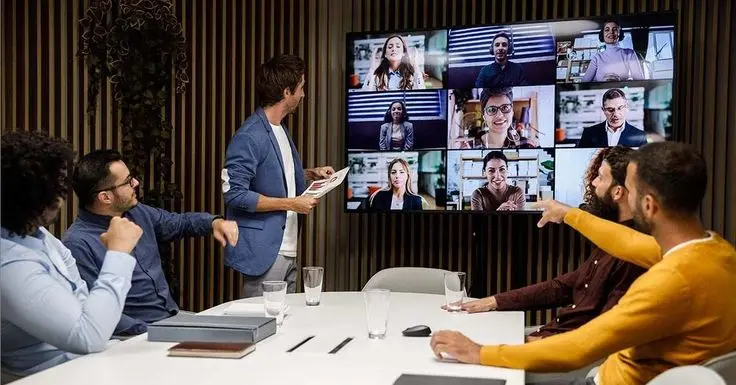
In this guide, we’ll walk through what makes Avaya’s room systems worth considering, compare the main models available, and help you figure out which setup actually fits your office, without the technical jargon overload. If you want to skip ahead and see real setups in action, you can check out this Avaya Conference Room System Dubai page for examples of completed installations.
Why Conference Room Technology Actually Matters Now
Offices in Dubai aren’t just local anymore. Teams are split across branches, clients dial in from three different time zones, and half your staff might be working from home on any given day. A shaky, unreliable video setup doesn’t just look unprofessional; it costs you time and, sometimes, business.
This is where a solid Avaya conference room system Dubai companies rely on starts to make a real difference. It’s not about having the fanciest gadgets in the room. It’s about consistent audio, clear video, and a setup that just works when you walk in and press start. Many offices making this shift already source their core phone infrastructure from an established Avaya IP PBX supplier in Dubai, so extending that setup to the meeting room is a natural next step.
What Is an Avaya Room System, Exactly?
Avaya’s room systems are all-in-one video and audio conferencing units built for meeting spaces of different sizes. Instead of piecing together a camera, speaker, microphone, and software from five different vendors, you get a unified system designed to work together out of the box.
They’re built for:
- Huddle rooms and small meeting spaces
- Mid-sized conference rooms
- Large boardrooms and training halls
The idea is simple: walk in, connect, and get on with the meeting. No cables everywhere, no “can you hear me?” for the first ten minutes. Many of these systems also pair naturally with desk-level hardware from an Avaya IP Phone supplier in Dubai, so the whole office runs on one connected setup instead of separate, disconnected tools.
The Main Avaya Models to Know
Avaya offers a small lineup, but each one is built with a specific room size and use case in mind. Here’s a quick breakdown.
| Model | Best For | Key Highlight |
| Avaya C130 | Small huddle rooms | Compact, plug-and-play simplicity |
| Avaya C170 | Mid-sized meeting rooms | Balanced audio-video performance |
| Avaya C190 | Large conference rooms/boardrooms | Wider camera coverage, richer audio pickup |
Avaya C130 — For Small, Quick Meetings
The Avaya C130 is built for smaller huddle spaces, think 2 to 6 people. It’s compact, doesn’t need much setup, and works well for quick check-ins or one-off client calls where you don’t need a whole production.
Avaya C170 — The Middle Ground
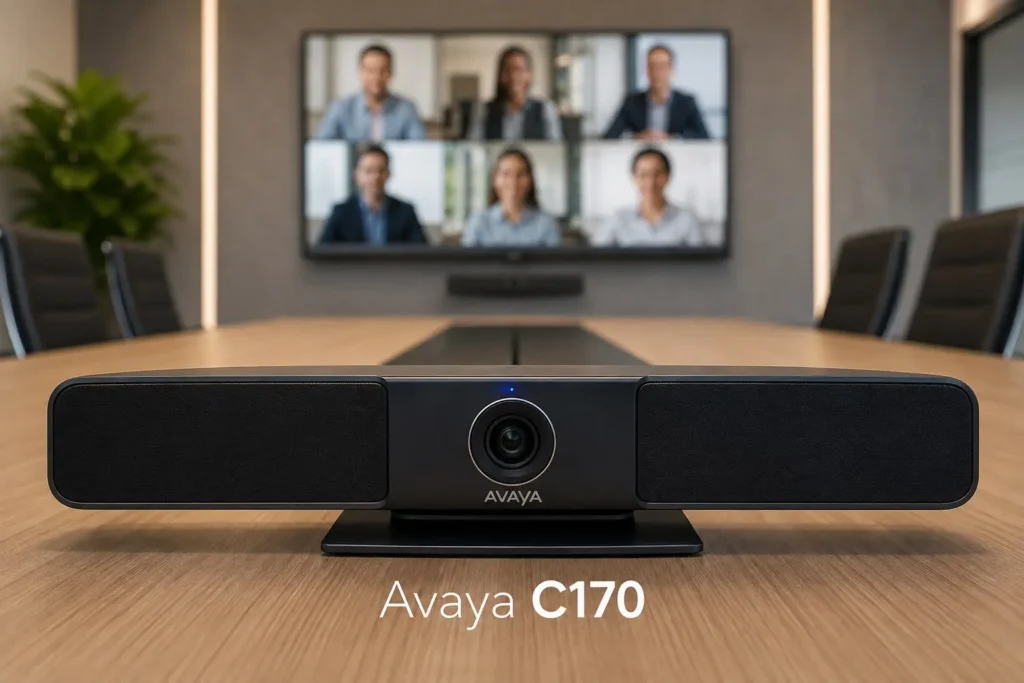
The Avaya C170 sits comfortably in the middle. It suits standard conference rooms with maybe 6 to 10 people around the table. If your office runs regular team meetings with a mix of in-room and remote attendees, this tends to be the sweet spot in terms of features versus cost.
Avaya C190 — Built for Bigger Rooms
For boardrooms, training sessions, or larger client presentations, the Avaya C190 is the one to look at. It’s designed to cover wider spaces, pick up voices from further back in the room, and handle bigger group calls without losing clarity. If you’re comparing this against other enterprise-grade options, it’s worth also glancing at what a Cisco IP Phone supplier in Dubai offers for larger rooms, just to weigh your choices before deciding.
Why Businesses in Dubai Are Choosing Avaya
There are plenty of conferencing brands out there, so why does Avaya keep coming up in conversations with IT managers and office admins around Dubai?
This lines up with a broader shift toward unified videoconferencing hardware in enterprise offices, where businesses increasingly prefer all-in-one systems over stitching together separate cameras, mics, and software.
A few reasons stand out:
- Reliability — Avaya has been in enterprise communication for decades, and it shows in the build quality
- Scalability — you can start small and expand as your office grows
- Local support availability — with the right partner, setup and maintenance are straightforward
- Integration — works well alongside existing Avaya IP PBX and phone systems many offices already use
If your company is already using Avaya phone systems, adding a room system to the mix just makes sense — everything talks to everything else without extra headaches. This is usually easiest to sort out when you’re working with an established Avaya partner in Dubai who already understands how the hardware, network, and software need to line up.
Picking the Right Avaya Conference Room Solution for Your Office
This is usually where people get stuck. There isn’t a single “best” system — it depends on your room, your team size, and how often you’re actually using video calls.
Here’s a simple way to think about it:
- Count your typical meeting size. Small teams under 6 people rarely need more than a C130.
- Think about how often the room is used. A boardroom used daily for client pitches deserves better audio-pickup range, which points toward the C190.
- Check your existing setup. If you already run Avaya phones or an Avaya IP PBX, sticking with the same ecosystem keeps things simpler.
- Don’t oversize the room. Buying a boardroom-grade system for a 4-person huddle space is just wasted budget.
Working with an established provider for Avaya conference room solutions Dubai offices trust can save you from guessing. A good consultant will actually walk your space, ask about your call volume, and recommend a size that fits, not just push the priciest option. For a general sense of how providers structure this kind of assessment, this IP PBX supplier in Dubai guide covers a similar evaluation process for phone infrastructure.
Video Conferencing Quality: What to Actually Look For
When people talk about Avaya video conferencing Dubai setups, the conversation often jumps straight to camera resolution. That matters, but it’s not the whole story.
Pay attention to:
- Microphone pickup range — does it capture voices clearly from every seat?
- Noise cancellation — does it cut out AC hum, hallway chatter, and keyboard clatter?
- Camera field of view — can it capture the whole table, or just the people directly in front?
- Ease of connection — can a guest walk in and join a call without IT support?
A system that checks these boxes will feel dramatically better in daily use than one that just has a bigger spec sheet.
Installation: Why It’s Not a DIY Job
Buying the hardware is only half the equation. Getting Avaya room system installation Dubai businesses actually rely on proper cabling, network configuration, room acoustics consideration, and testing before it goes live.
A rushed or poorly planned installation is usually why a perfectly good system ends up performing badly. Things like camera placement, speaker positioning, and network bandwidth allocation all affect how the room performs once it’s in daily use.
If you’re setting this up for the first time, it’s worth getting a proper installation team involved rather than trying to configure it internally. The right team will handle camera calibration, network setup, and acoustic testing before calling the job done.
Don’t Forget Ongoing Support
Hardware needs upkeep, firmware updates, occasional troubleshooting, and periodic checks to keep everything running smoothly. This is where an Avaya AMC Service Dubai business signs up tends to pay off. Instead of scrambling to find a technician when something breaks mid-meeting, you’ve already got a support plan in place.
It’s a small monthly cost against the very real cost of downtime during an important client call.
What About the Rest of Your Communication Setup?
A conference room system doesn’t operate in isolation. Most offices pairing an Avaya room system also lean on their existing phone infrastructure and desk hardware to keep everything running smoothly behind the scenes.
Getting all of this from one place rather than juggling five different vendors tends to make troubleshooting and future upgrades a lot less painful.
How Avaya Compares to Other Options
To be fair, Avaya isn’t the only name in this space. Some offices also shop around before committing, and there’s nothing wrong with that; just make sure whatever you choose integrates cleanly with your existing setup rather than creating two separate systems that don’t talk to each other. Pairing your conferencing hardware with a dependable IT AMC Service in Dubai also helps if you want a broader support net covering your whole office IT environment, not just the conference room.
A Quick Checklist Before You Buy
- Measure your room and count typical attendees
- Check your current network bandwidth
- Decide if you need C130, C170, or C190 based on room size
- Confirm compatibility with your existing phone/PBX setup
- Get a proper installation quote, not just a hardware price
- Ask about AMC/support plans upfront
- Test the room with a real call before going fully live
Conclusion
Choosing the Avaya conference room system for Dubai offices isn’t about picking the most expensive box on the shelf. It’s about matching the system, whether that’s the compact C130, the balanced C170, or the boardroom-ready C190, to how the team works and how big the rooms actually are. Get the sizing right, get it installed properly, and keep a support plan in place, and the meeting rooms stop being a source of frustration and start being an asset for the business.
If someone is still unsure which setup fits the office, it’s worth reaching out to a specialist who can assess the space directly before committing to anything.
FAQ
It’s an all-in-one video and audio conferencing setup used for meetings, client calls, and team collaboration inside a specific room.
The C130 suits small huddle rooms, the C170 fits mid-sized meeting rooms, and the C190 is built for larger boardrooms with wider coverage needs.
Yes, many Dubai businesses choose Avaya for its reliability, scalability, and easy integration with existing Avaya phone systems.
It varies by room size and complexity, but a standard setup typically takes a day or two, including testing.
Yes, if you’re already using an Avaya IP PBX or Avaya IP phones, the room system integrates smoothly into that same ecosystem.
The Avaya C130 is generally the best fit for smaller huddle spaces with fewer than six people
Yes, an AMC (Annual Maintenance Contract) service helps keep firmware updated and resolves issues before they disrupt meetings.
A properly installed system should allow anyone to walk in and join a call without needing IT assistance every time.
Microphone pickup range, noise cancellation, camera field of view, and network bandwidth all play a bigger role than raw camera resolution alone.
Local Avaya partners in Dubai offer full installation, setup, and after-sales support tailored to your office size and needs.