
Understanding Avaya IP Office Licensing in Dubai: Edition, User, Trunk & Mobility Licenses Explained
If you have ever tried to set up or expand an Avaya phone system and found yourself looking at a quote that’s full of licence names you do not know, you are not the only one. Avaya IP Office licensing in Dubai can be confusing at first, especially when you are trying to figure out what your business needs and what a vendor is trying to sell you. The truth is, licensing is not a technical thing. It is the thing that decides what your Avaya phone system can actually do, how many people can use it, and how much room you have to grow your business.

If you get the licensing wrong, you will either end up paying for features you will never use or, worse, hit a wall the moment your business starts to get bigger. If you get it right, your communication system will grow with you without any problems. In this guide, we will go through the four license categories. Edition, user, trunk, and mobility licences for Avaya IP Office. And explain how they fit together so you can make a decision that actually makes sense for your business. If you would rather get help from an expert, our Avaya Licensing Guide Dubai service page is a place to start.
What is Avaya IP Office licensing?
Avaya IP Office licensing is what unlocks the features and capacity of your Avaya IP Office system. The hardware and software might be installed. Without the right Avaya IP Office licences, some features will stay switched off. It is like buying a car with a locked engine mode that only activates once you have paid for it.
Businesses need these software licenses for Avaya IP Office because Avaya IP Office is built to serve everyone from a startup to a big enterprise using the same core platform. Avaya IP Office licensing is the mechanism that tailors the Avaya IP Office system to your size and needs. It controls things like the following:
- How many employees can use the Avaya phone system at once
- Which advanced features, like mobility or conferencing, are available for Avaya IP Office
- How many outside lines or SIP trunks you can connect to Avaya IP Office
- Whether the Avaya IP Office system can support growth without a full replacement
This is really the heart of an Avaya IP Office license guide that Dubai businesses should understand before signing off on any quote. Because every Avaya IP Office license you buy or skip has a direct impact on the day-to-day operations of your business and Avaya IP Office system.
Why Is Choosing the Right Avaya License Important for Businesses in Dubai?
Dubai’s business environment moves fast, and that’s exactly why licensing decisions matter more here than in a lot of other markets. A few reasons this matters:
- Business growth — Companies in Dubai often scale quickly, adding staff, branches, or entire departments within a year. Your licensing setup needs to be able to keep up.
- Scalability — Buying a rigid, fixed system means paying for a rebuild later. The right license structure lets you add capacity incrementally instead.
- Cost optimisation — Over-licensing wastes budget; under-licensing causes bottlenecks. The sweet spot is somewhere in between, and it’s different for every business.
- Hybrid and remote work — With more UAE businesses adopting flexible work arrangements, mobility and remote-access licensing have gone from “nice to have” to essential.
- Regulatory and operational considerations — Local compliance and call-quality expectations mean your trunk and capacity planning needs to reflect real usage, not guesswork.
This is exactly why so many companies searching for Avaya IP Office licensing Dubai end up working with a partner rather than trying to piece it together themselves; the stakes of getting it wrong are higher than they first appear. If you’re still comparing options, it’s worth browsing what a modern Avaya phone system Dubai setup typically looks like before locking in a licensing plan.
How Does Avaya IP Office Licensing Work?
The licensing process itself isn’t overly complicated once you break it down into steps:
- Choose the IP Office edition — this sets the overall capability ceiling of your system.
- Add user licences — this determines how many employees can actually use the phone system and at what feature level.
- Configure trunk licenses — this controls how many simultaneous outside calls (via SIP or other trunk types) your system can handle.
- Enable mobility features — this extends your system to mobile devices and remote workers.
- Activate and manage licences — licences are tied to your system and typically managed through Avaya’s licensing portal, with your provider handling activation and renewals.
Once you understand how Avaya licensing works at this level, the rest of the decision-making becomes a lot less intimidating; you’re really just answering a handful of practical questions about your business size and usage patterns. This is also where good Avaya IP Office System Design Dubai planning pays off, since the way your system is designed influences exactly which licenses make sense.
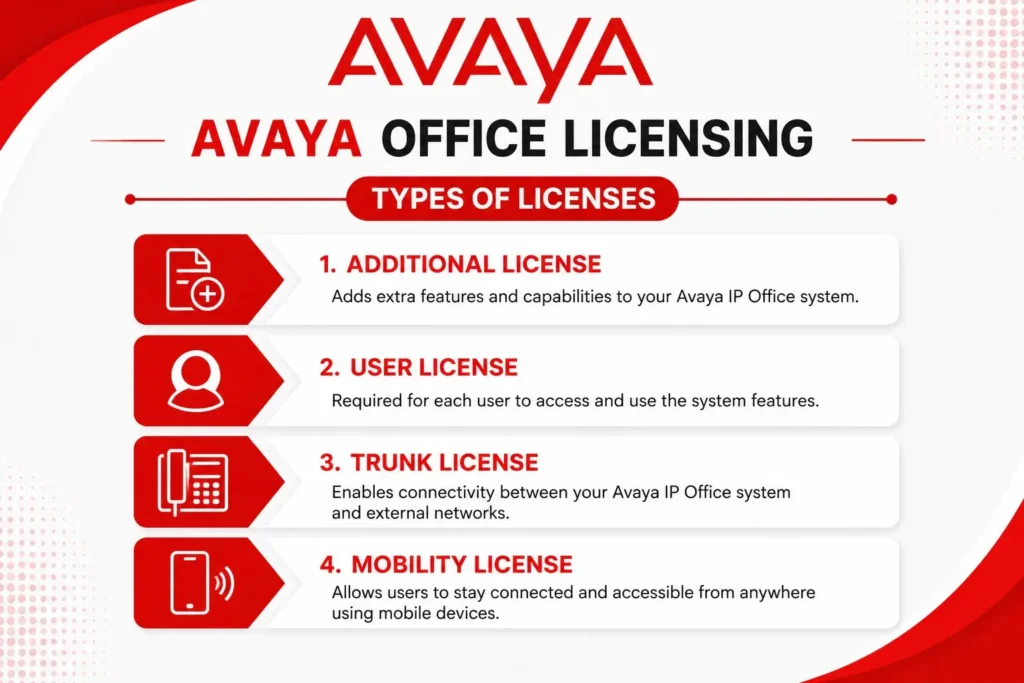
Types of Avaya IP Office Licenses Explained
Edition Licence
The edition licence is the foundation of your entire system. It defines which “version” of IP Office you’re running and, by extension, what features are even available to license on top of it. Avaya offers a few editions, each aimed at a different scale of business:
- Essential Edition — Covers the basics: calling, voicemail, and simple call handling. Great for small offices that don’t need bells and whistles.
- Preferred Edition — Adds conferencing, more advanced call handling, and support for a wider range of add-ons. This is the most common Avaya edition license Dubai businesses choose once they outgrow the basics.
- Server Edition — Built for larger, multi-site organizations that need centralised management across several locations.
Choosing the right edition upfront matters because some features simply aren’t available to add later without upgrading the whole edition, so it pays to think a step or two ahead of your current headcount. If you’re setting up from zero, pairing your edition choice with proper Avaya IP PBX Installation Dubai work makes sure the system is configured correctly around it.
User License
User licenses determine how many employees can actively use the system and what level of functionality each of them gets. Not every employee needs the same access — a receptionist and a sales director typically use very different feature sets.
Avaya generally splits user licenses into a few profiles, such as:
- Basic users who need standard calling and voicemail
- Power users who need conferencing, mobility, or advanced call handling
- Receptionist-level users who need console-style call management
To estimate how many licences you need, it helps to look at actual headcount using the phone system daily; not just total staff, shared desks, warehouse teams, or part-time staff might not all need individual licences. This is one of the more common points of confusion in Avaya user licence Dubai purchases, and it’s worth getting a proper usage audit before buying. It also helps to sort out your handsets early; working with a trusted Avaya IP Phone supplier in Dubai means your hardware and user licences line up from day one instead of causing mismatches later.
Trunk licence
Trunk licences govern how many calls can come in or go out simultaneously through your SIP trunks or other external connections. Think of trunks as the “lanes” on a highway — the more simultaneous calls you expect, the more lanes you need.
Key considerations here include the following:
- SIP trunk connectivity — Most modern Avaya IP Office deployments in Dubai rely on SIP trunks rather than traditional PRI lines, since they’re more flexible and cost-effective.
- External call capacity — This should reflect your actual daily call volume, not just headcount.
- Planning for peak call volumes — Call centres, retail businesses, or customer service teams often see sharp spikes during certain hours, and under-provisioning here leads to dropped or blocked calls right when it matters most.
Mobility Licence
Mobility licences extend your Avaya system beyond the office desk phone, and for a lot of Dubai businesses, this is where the real productivity gains show up. This category typically covers:
- Mobile extensions — Letting staff make and receive office calls from their mobile phones using their business number.
- Remote working — Enabling employees working from home or another site to stay fully connected to the office phone system.
- One-X Mobile integration (where applicable) — A softphone-style app that brings desk phone features to a smartphone or laptop.
- Productivity benefits for distributed teams — Sales teams, field staff, and multi-branch operations all benefit from not being tied to a physical desk phone.
How to Choose the Right Avaya License for Your Business
There’s no one-size-fits-all answer, but most businesses fall into a recognisable pattern. Here’s a simple starting point:
| Business Size | Recommended Licensing |
| Small Office | Essential Edition + Basic User Licenses |
| Growing Business | Preferred Edition + User + SIP Trunk Licenses |
| Multi-Branch Business | Preferred Edition + Mobility + Additional Trunk Capacity |
| Customer Service Team | Preferred Edition + User + Trunk + Mobility Licenses |
Use this as a rough guide rather than a rulebook; your actual usage patterns should always have the final say.
Common Licensing Mistakes Businesses Should Avoid
A lot of licensing headaches come from a handful of avoidable mistakes:
- Buying more licenses than needed — Paying for capacity or features that sit unused.
- Ignoring future expansion — Choosing the cheapest option today and having to redo everything in a year.
- Underestimating trunk capacity — leading to busy signals or dropped calls during peak hours.
- Choosing the wrong edition — locking yourself out of features you’ll need down the line.
- Not planning for remote employees — Skipping mobility licensing and then scrambling when hybrid work becomes the norm.
A lot of these mistakes get caught early when your phone system is covered under a broader IT AMC Service in Dubai plan, since regular maintenance checks tend to flag licensing gaps before they turn into real problems.
Signs Your Business May Need a License Upgrade
It’s not always obvious when you’ve outgrown your current setup, but a few signals tend to show up consistently:
- Business expansion into new services or departments
- More employees joining faster than your current user licenses can cover
- Increased call volume that’s straining your existing trunk capacity
- New branch offices that need to be brought onto the same system
- Remote workforce growth that your current setup wasn’t designed for
If more than one of these sounds familiar, it’s probably time to review your licensing rather than wait for something to break. Businesses already on an Avaya AMC Service Dubai contract usually catch these signs earlier, since ongoing maintenance visits naturally surface capacity issues before they become urgent.
Why Work with a Certified Avaya Partner in Dubai?
Licensing decisions are easy to get wrong if you’re doing it alone, which is why most businesses lean on an experienced partner rather than guessing. A certified partner can help with:
- License planning — Matching your actual needs to the right combination of licenses instead of over- or under-buying.
- Deployment — Making sure the system is installed and configured correctly from day one.
- Upgrades — Handling transitions smoothly as your business grows, without downtime.
- Ongoing support — Keeping the system running and resolving issues quickly when they come up.
- Compliance with Avaya best practices — Avoiding configuration mistakes that could affect performance or support eligibility.
Working with a partner who genuinely understands the platform — not just someone reselling hardware — is often the difference between a smooth deployment and a costly redo a year later. For deeper technical detail straight from the source, Avaya’s own official IP Office documentation is a solid reference point if you want to go further into the specifics yourself.
Conclusion
At the end of the day, Avaya IP Office licensing Dubai comes down to matching four building blocks – edition, user, trunk, and mobility licenses – to how your business actually operates today and where it’s headed next. Get the combination right, and your phone system becomes something you barely think about, because it just works. Get it wrong, and you end up either overpaying or running into avoidable limitations at the worst possible time.
If you’re unsure where to start, it’s worth having a conversation with an experienced Avaya partner who can walk through your current setup, usage patterns, and growth plans before recommending a licensing structure. It’s a small step that tends to save a lot of hassle down the line.
FAQ
It’s the system that unlocks features, user capacity, and call handling ability on your Avaya IP Office platform. Without the right licenses, certain functions simply won’t be available.
The edition licence sets the overall capability of your system (Essential, Preferred, or Server Edition), while user licences determine how many people can actually use it and at what feature level.
Yes. Trunk licences control how many simultaneous external calls your system can handle, including calls made over SIP trunks.
In most cases, yes. Licensing is designed to be scalable, though upgrading between editions may require additional planning compared to simply adding user or trunk licences.
It usually comes down to your headcount, expected call volume, and whether you have remote or mobile staff. A proper usage audit from an Avaya partner makes this much easier to figure out accurately.
If you want remote or mobile staff to use the office phone system from their own devices, yes, mobility licensing is required to enable that functionality.
Absolutely. A certified partner can handle planning, purchasing, activation, and future upgrades, which removes a lot of the guesswork from the process.
Yes, the Essential Edition is specifically designed for smaller offices that need reliable calling without the complexity of larger enterprise features.
Callers may hear busy signals, or calls may get dropped during peak periods. Upgrading trunk licenses resolves this by allowing more simultaneous connections.
It’s a good idea to review your licensing setup at least once a year or whenever there’s a significant change in headcount, call volume, or business locations.